Camera Styles · Auto Photo · Your shoots
Your camera.
Your era.
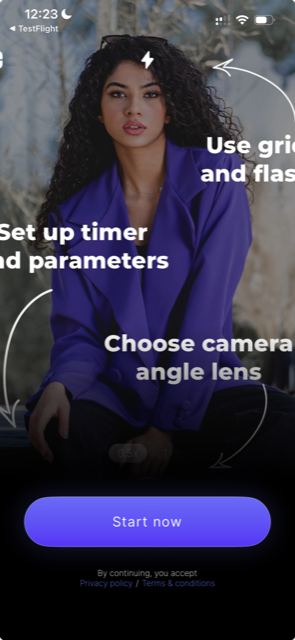
JUMi turns a phone camera into a playful photo studio: choose a Style, set the shot, and make a whole shoot without rushing back to the shutter.


Free to download · Optional Pro subscription · No account required
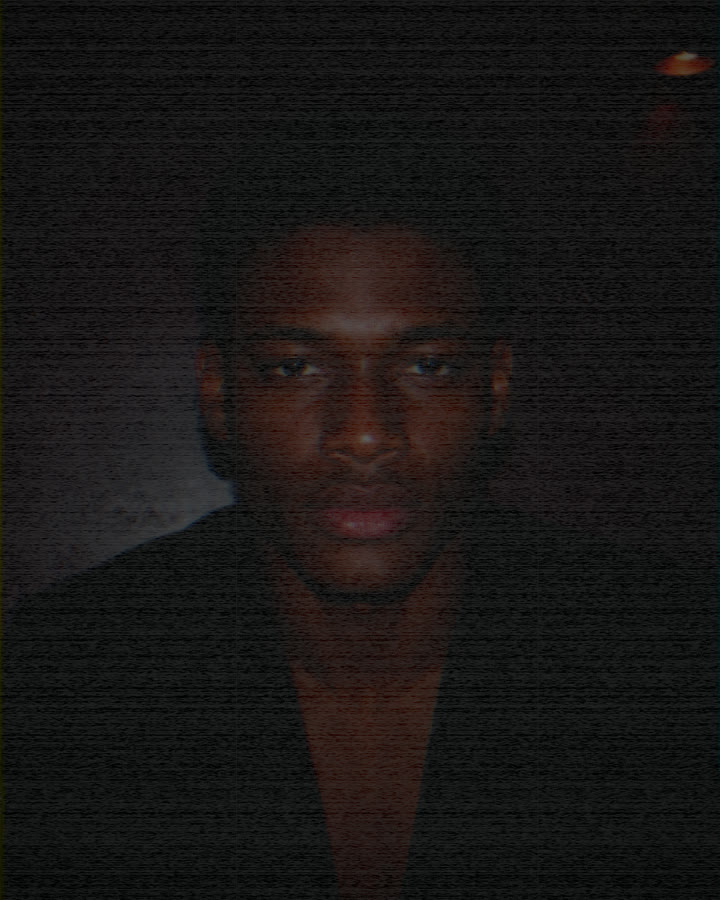 VHS
VHS
 PARTY FLASH
01 / Make the frame yours
Not another filter list.
A shelf of camera Styles.
Preview the look before the shutter, adjust intensity, and keep the same rendering in the final photo. Start clean or move through nostalgic, flash-heavy, warm, grainy, and tape-inspired looks.




02 / Step into the shot
Set it once.
Keep moving.
Auto Photo is a hands-free camera mode for self portraits, outfit checks, creators, couples, and group shots. Choose the start delay, interval, and number of photos; JUMi handles the rhythm.
- Start delayGet into position before the first frame.
- 1, 3, 5, 10 or ∞ photosMake one image or keep the shoot going.
- 1, 5 or 10 second intervalControl the pace between frames.




03 / Keep the story together
A camera roll
made for shoots.
Captured photos stay in JUMi’s on-device library. Browse every photo or group them by shoot, open the full frame, zoom in, check the Style and intensity, then choose what to share or export.
Your photo content stays on your device.
JUMi’s current photo processing does not send your images to a JUMi server.
JUMi PRO
More Styles.
Your photos, everywhere.
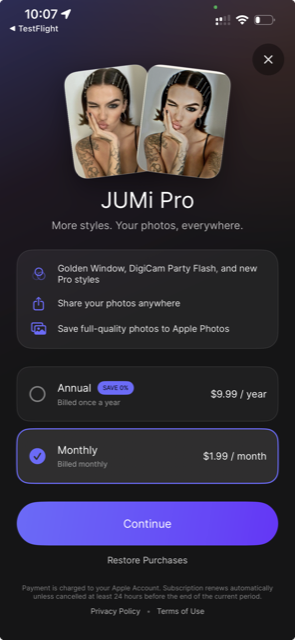
Use the core camera and free Styles at no cost. Upgrade where JUMi Pro is offered to unlock Pro Styles plus full-quality sharing and export.
- FreeCamera, Auto Photo, on-device library, free Styles
- ProGolden Window, DigiCam Party Flash, new Pro Styles
- ProShare anywhere and export to Apple Photos
Subscription options and local pricing are shown in the app by the App Store. Cancel in your Apple Account settings.
The direct answers
JUMi, explained.
What is JUMi?
JUMi is a photo camera app with real-time Styles, hands-free Auto Photo controls, lens selection, composition guides, and a photo library organized around your shoots.
What are JUMi Styles?
Styles are complete camera looks rather than simple color presets. They can combine tone, grain, texture, flash character, and era-inspired rendering. You see the selected Style while composing and it is applied to the captured photo.
Can JUMi take photos automatically?
Yes. Turn on Auto Photo, choose a start delay, select the number of photos, and set the interval between frames. You can also leave Auto Photo off and capture one regular photo.
Does JUMi upload my photos?
No JUMi account is required. Captured photos and current Style processing stay on your device; JUMi does not upload your photo content to a JUMi server. Sharing and export happen only when you choose them.
What does JUMi Pro include?
Where offered, JUMi Pro unlocks Pro Styles and full-quality sharing and export. Free Styles and the core camera remain available without a subscription. Exact prices and subscription terms are displayed in the app.
Is JUMi available for iPhone and Android?
Yes. JUMi is available from the App Store and Google Play. Features can differ by platform and app version while the native iPhone experience continues to evolve.
The next frame is yours